How to use Agent Mode on Arena
Last updated: October 8, 2026
We designed Agent Mode to help everyone from everyday users looking to get more done to entrepreneurs looking to maximize agentic efficacy across complex use cases. While traditional chat requires you to break a complex task into numerous prompts, Agent Mode autonomously builds a plan and uses its built-in tools to accomplish the entire multi-step workflow in one go, like building a website or running deep research.
As Agent Mode answers your prompt, it can use tools to create a higher quality response, for example web search, image generation, and bash with access to a sandbox environment for testing and iteration. It can write files, it can ask you clarifying questions, and you can upload files you want it to work on. Even more tools are coming soon.
How To Use Agent Mode
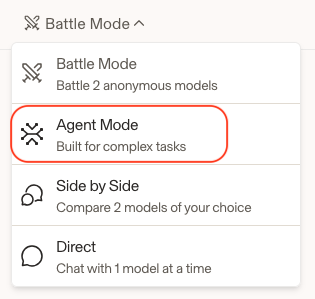
To get started with Agent Mode you can visit https://arena.ai/agent. Or from the Arena homepage at Arena.ai click on the dropdown menu item in the top left, and change the option from the default “Battle Mode” to “Agent Mode.”
Like other modes, use the chat bar to create your prompt and upload files. When ready, click the arrow to start your workflow.
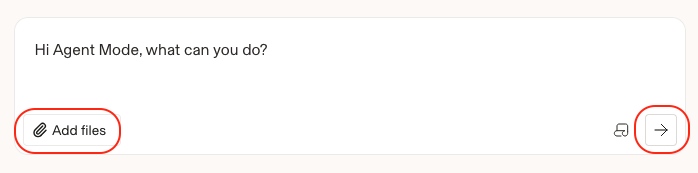
At this time, Agent Mode supports; PNG (.png), WebP (.webp), JPEG (.jpg, .jpeg), PDF (.pdf), GIF (.gif), Plain Text (.txt), Markdown (.md), CSV (.csv), HTML (.html), XML (.xml), CSS (.css), JavaScript (.js), JSON (.json), XML (.xml), & JavaScript (.js) file uploads. We plan to expand file upload support types in the future.
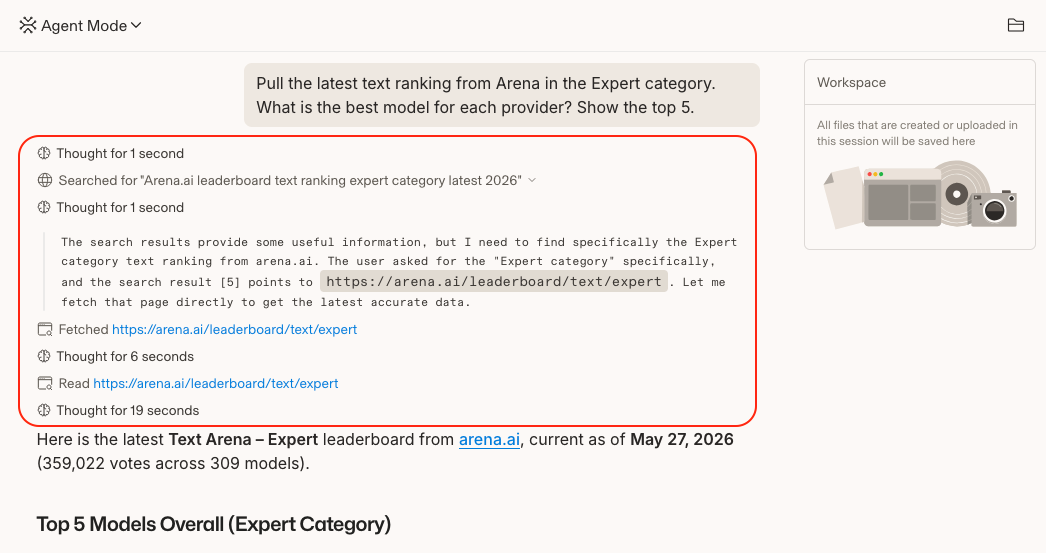
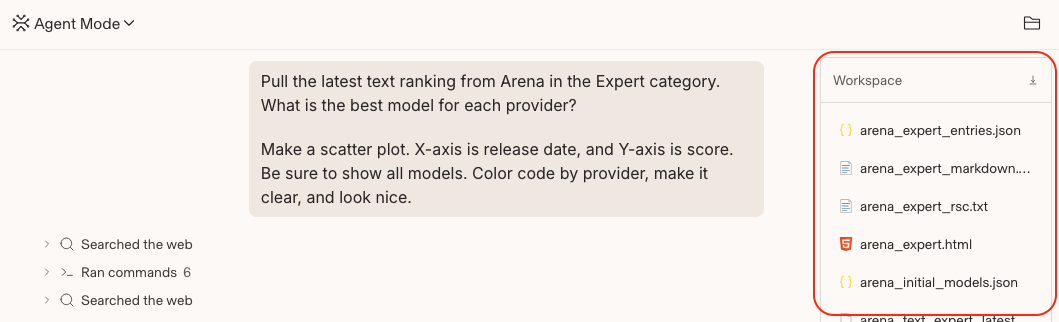
Access your Workspace on the right-hand side of the screen. You will find files related to your workflow here.
How you get your files depends on whether you connected a GitHub repository when you started the session.
No repository connected: Your files are saved in the session workspace. Open the workspace panel and click Download to get them as a zip.
A repository connected: The assistant works directly in a copy of your repo, so there's no zip download. Your changes are delivered to GitHub instead: the assistant commits to a working branch and opens a pull request. Review them in the Diff tab, then merge or pull that branch to get your files.
Once the pull request is merged or closed, the session can no longer push to GitHub. Any files created after that point stay in the session but can't be pushed, downloaded, or carried into a new session. Make sure your work is pushed before merging, or start a fresh session for anything new.
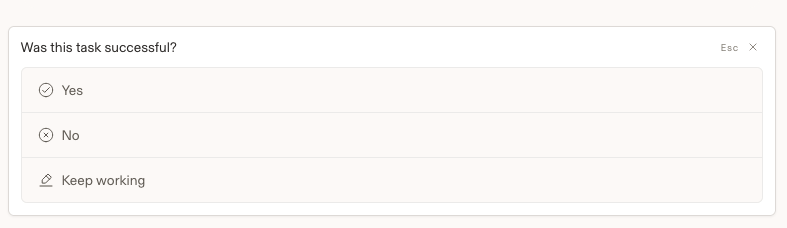
When the task is complete, provide your feedback to continue or choose “keep working.”
FAQ for Agent Mode How-To
Question: What is different about Agent Mode compared to the other modes?
Answer: Battle, Direct, and Side-by-Side are designed for isolated interactions. Agent Mode introduces a more dynamic workflow, helping automate and connect tasks so you can accomplish more with less manual effort.
Question: Can I manually download my workspace files?
Answer: Users can directly download the latest workspace files from any Agent Mode chat. This was added as a workaround for cases where a session becomes unusable but you still need access to the files. To download the workspace files, add /download-workspace to the end of the URL while viewing the Agent Mode chat session.
Question: What built-in tools does Agent Mode use?
Answer: Agent Mode has access to a powerful suite of tools including web search, image generation, file upload, coding assistance, and a sandbox/bash environment that gives the agent the autonomy to execute tasks. Additional tools and functionality will continue to be added over time.
Question: When should I use Agent Mode vs other modes?
Answer: Agent Mode combines research, coding, analysis, and iteration into a single workflow, making it ideal for complex, multi-step tasks where context needs to be maintained across activities. Examples include building a website, planning a product launch, or conducting deep research. For simple, single-step tasks—such as basic research, search, or knowledge queries—Agent Mode is usually unnecessary. In those cases, modes like Battle Mode, Side-by-Side, or Direct are a better fit.
Question: What is the Agent Leaderboard?
Answer: Arena's Agent Mode Leaderboard ranks orchestrator models across five signals — strengths and weaknesses both. Including; confirmed success, praise vs complaint, steerability, bash recovery, and tool hallucination. More signals will be included over time.
Question: What models are available in Agent Mode, and why am I not shown the model?
Answer: All models listed on the Agent Mode leaderboard are available on Agent Arena. When you start a new chat in Agent Mode, your workflow is powered by a new dedicated orchestrator model. Unlike Battle Mode, Agent Mode does not currently reveal the orchestrator model after feedback is submitted. This design choice helps keep the focus on completing tasks and maintaining workflow continuity. This enables us to build fair evaluations for the community.
Understanding Agent Arena Leaderboard
AI evaluations have had to keep pace with how people use models. Agent Arena goes far beyond human preference, measuring task success rates, textual edits, steerability, tool hallucination rates, and much more. Our agentic leaderboard is ranked based off of Net Improvement which measures how much better or worse a model performs compared to an average model, aggregating all the signal columns in this table into one score. Positive means above average, negative means below.
The Agent Arena leaderboard ranks orchestrator models across five signals:
Confirmed Success: how often users confirm the task is done when using this model.
Praise vs Complaint: how often the model earns praise from the user compared to explicit complaint on a task by task basis.
Steerability: when users correct the model, how often does it land a satisfactory fix?.
Bash Recovery: how quickly the model recovers when a bash command doesn't work.
Tool Hallucination: how reliably the model avoids calling a tool it doesn't have.
View the Agent Mode leaderboard here.
Arena Alignment Index
The Arena Alignment Index is a new leaderboard built from real-world agent sessions to measure agent reliability across key failure signals like unauthorized actions, false attribution, and deceptive completion.
Measuring three direct failure signals:
- Unauthorized Action (UA): Acting beyond the user’s request or permissions.
- False Attribution (FA): Attributing something to the user that contradicts the evidence.
- Deceptive Completion (DC): Claiming a task is complete when it’s not.
View the Alignment Index here.
FAQ for Agent Mode Leaderboard
Question: What is the agent leaderboard?
Answer: Arena's Agent Mode routes every real session to a randomly chosen model and watches how that model actually does the work. The current Agent leaderboard ranks those models on how well they perform as the orchestrator, the main model that decides which tools to call (bash, web search, fetching pages, writing files, and so on), across millions of real, in-the-wild Agent Mode interactions. Instead of asking people to vote on two side-by-side answers, Agent Mode collects single-threaded user feedback and scores models on what happened while they were doing real tasks.
Question: How is this different from other Arena leaderboards?
Answer: Most Arena leaderboards are built on pairwise human votes: you see two anonymous answers and pick the better one, and the rating comes out of those head-to-head comparisons. The Agent leaderboard works differently in three ways.
It uses single-threaded traces, not battles. In agent mode, users interact with a single agent in a long-running thread, sometimes over hundreds of turns. Previously, users interacted with two models at a time in a battle.
The leaderboard uses a combination of explicit feedback and implicit signals as opposed to explicit feedback only. Previously, we calculated leaderboards using votes, which are a form of explicitly stated feedback. Now, Agent Arena measures several implicit behavioral signals such as natural language praise and complaints, tool hallucination, and more, to calculate an aggregate leaderboard that goes beyond explicit feedback alone.
It uses a new methodology called causal tracing, not Bradley-Terry regression. Our previous leaderboards all use Bradley-Terry regression to calculate a model score. In Agent Mode, we introduce a methodology called “causal tracing,” wherein we mine traces for signals and then use causal inference techniques to calculate treatment effects for different subcomponents of the agent. The resulting leaderboard reports the causal effect of using a specific model, compared to the average model.
Question: How does the ranking work?
Answer: Because Agent Mode sends every session to a random model, we can infer a model's causal treatment effect by observing its behavior. For each signal we compute a per-model score and express it as a contrast in percentage points against a randomized baseline signifying the average model. That per-model, per-signal contrast is the net improvement: how much better or worse a behavior becomes when substituting in a particular model. Positive means above average, negative means below average. Note that as the average model gets stronger, the average improves, so the net improvement decreases for any particular model. This means the leaderboard is constantly live, reflecting a models performance relative to flagship models from all the labs.
The headline rank is a weighted average of a model's net improvement across all the signals, so every signal gets one vote. Today, the average is equally weighted, but we may change this. We also show a 95% confidence interval on each number, so you can see when two models are genuinely separated versus too close to call.
Good and bad are defined per signal, in that signal's own natural direction. For some signals higher is better (more corrections that land, more confirmed successes); for a couple lower is better (fewer hallucinated tools). The leaderboard always orients and colors the value so that green means good no matter the metric’s orientation.
Question: It seems like my model changed?
Answer: When you start a new Agent Mode chat session, a model is selected and will remain the same throughout the conversation. To improve reliability, if a response is likely to fail and leave the session in a broken state, the system may automatically switch to a different model so the session can continue. Because of this, you may occasionally notice the model change during an Agent Mode chat session.
Question: What do the percentages mean?
Answer: Every score on the leaderboard is a treatment effects, signifying the improvement one would get in each signal if substituting any specific orchestrator for the average orchestrator. A green highlight means the model does better than a typical model, a red highlight means it does worse, and a score near zero means it is about average. So "+7%" with a green highlight means clearly above average and "-3%" with a red highlight means a bit below.
The big number next to each model is its overall score: the average of its percentages across every signal. Each signal column shows that model's percentage for that one behavior, so you can spot where a model is strong or weak.
The little "±" after a number is the 95% confidence interval, indicating how sure we are based on the data we have collected so far. A score of "+5% ± 2%" really means "somewhere around 3% to 7%." When two models' ranges overlap a lot, treat them as basically tied instead of reading too much into the exact order.
One thing to keep in mind: for a few signals, lower is actually the good outcome (like making up fewer tools that do not exist). The board always colors the good direction green, so you can read green as "this is good" without doing any math in your head.
Question: What are signals?
Answer: A signal is one independent, measurable behavior we score from real session traces. Each one captures a different dimension of doing the work well, and the headline score is the equal-weighted average across all of them. The current signals:
Confirmed Success. How often users explicitly confirm the task is done. Built from thee final explicit task approval / disapproval within a trace. Higher is better.
Praise vs Complaint. Within a task, whether users say more explicitly positive things than negative things. This isolates natural language user satisfaction in the real course of work, separate from button clicks. Higher is better.
Steerability. When a user pushes back or corrects the model, does the very next response actually land (accepted, extended, or redirected) instead of being rejected or going nowhere? Higher is better.
Bash Recovery. After a command fails because of the model's own mistake, how few retries it takes to get back to a working command. Higher is better.
Tool Hallucination. How often the model calls a tool that does not exist (an invented tool name, malformed junk, or stray reasoning text leaking into the tool field). Lower is better.
Question: Do the rankings change over time?
Answer: Yes. The leaderboard is a living measurement, not a one-time static score. It refreshes as new real Agent Mode sessions come in, so a model's score can move as we gather more evidence about how it behaves. You can always see the "last updated" date and the number of observations behind the current leaderboard.
Rankings can also shift when a new model joins. Every score is measured against the average model, so adding a strong new model raises the bar everyone else is compared to, and adding a weaker one lowers it. That means a model's number can move a little even when its own behavior has not changed, simply because the competition did. It is like a game of chess getting harder when a smarter competitor enters: your skill did not change, but your opponent’s might.
As more sessions add up, the margins of error also get smaller, so close calls between models become clearer over time.
Question: Will there be more signals?
Answer: Yes. The current set is a starting point, and the framework is built to grow. We already track several additional behaviors that do not yet count toward the headline score, and we plan to fold in more over time to enrich the evaluation as each new signal is validated.