How to Delete Your Chat Sessions in Arena
Last updated: March 23, 2026
If you want to delete your chat session, you can do so by archiving your chat, and then deleting it.
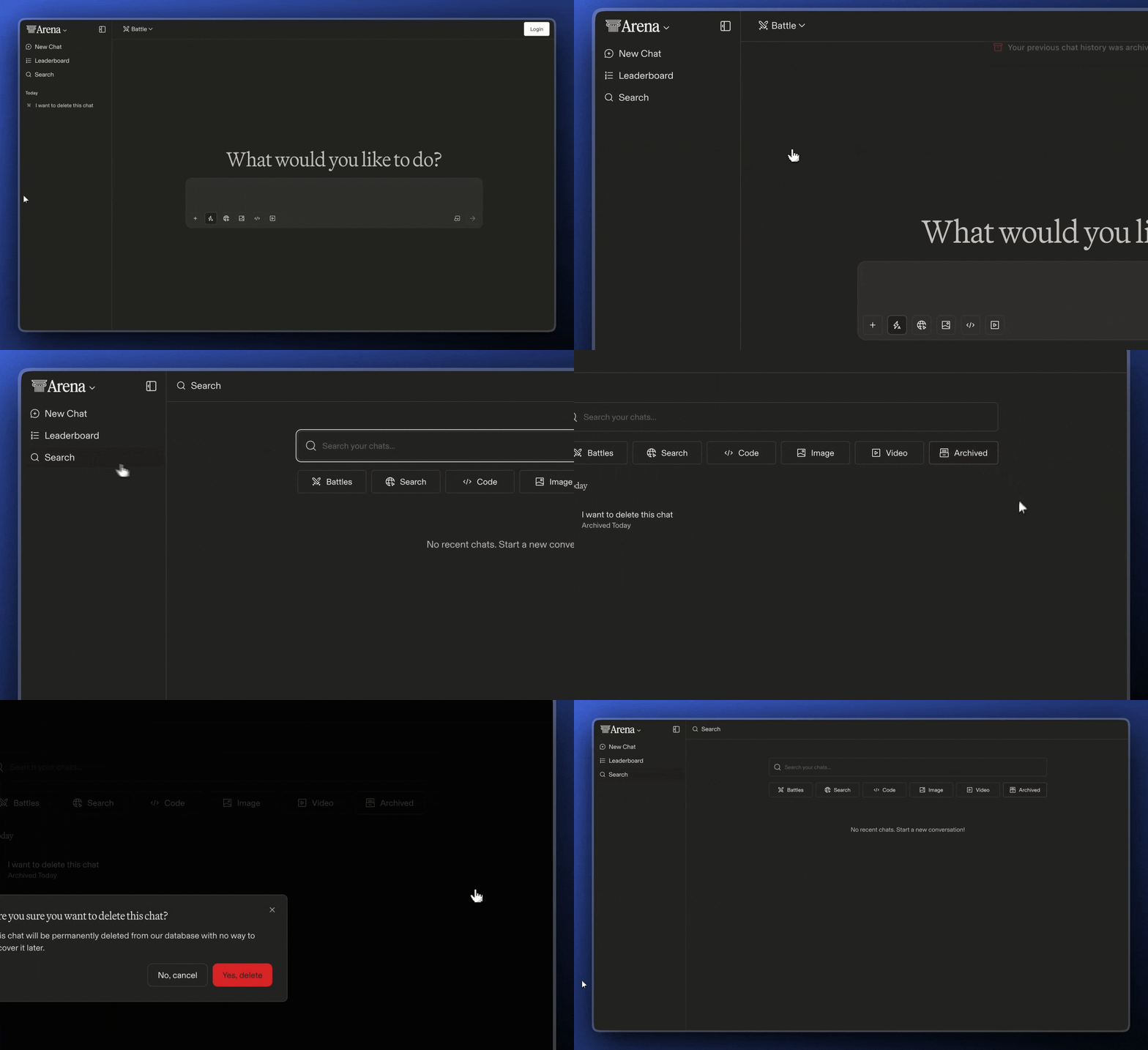
Deleting Individual Chat Sessions
To delete your chat sessions:
In the left sidebar, click the chat session you want to remove
Click the three dots (⋯) to the right of the chat title
Select Archive Chat
Go to the Search
Select Archived
Click the three dots (⋯) to the right of the chat title
Click Delete
Confirm the delete request
This action is irreversible. Once deleted, the session and its contents will no longer be accessible to you. Your data will be queued for deletion from our systems. This process is typically completed within 30 days. Please note that we may retain limited information if required by law or where we have a legitimate basis (e.g., security and fraud prevention).